Tools
This guide covers the dashboard tools including advanced search, notifications, and profile management.
Advanced Search
This tab allows Tier 1 & Tier 2 users to search for Dockets or Documents with different filters.
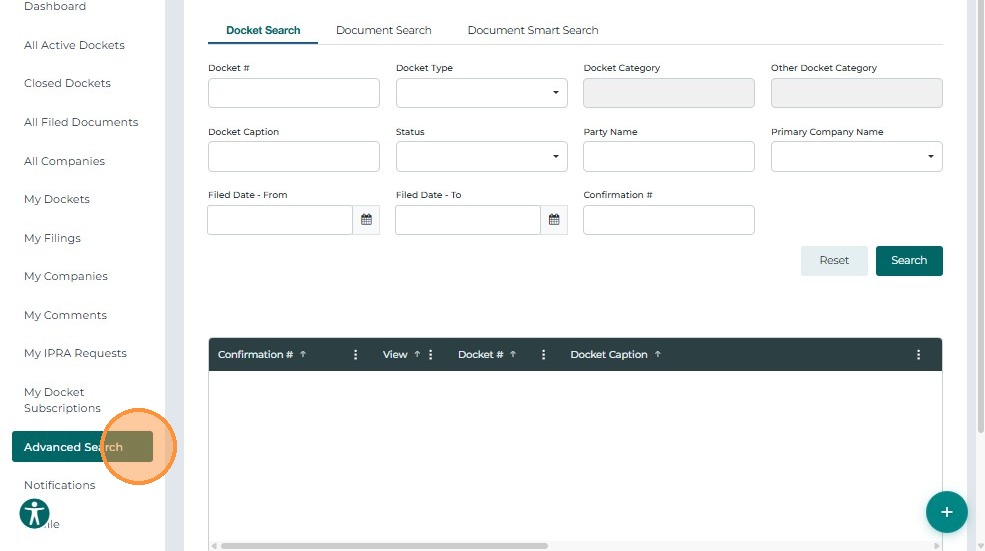
For detailed information, refer to the Advanced Search guide.
Notifications
The Notifications screen allows users to view all system-generated alerts related to their subscribed Dockets.
These notifications ensure users stay informed about important updates such as new filings, hearing schedules, or status changes.
- From the left navigation menu, select Notifications.
- The system displays a list of all alerts associated with your account.
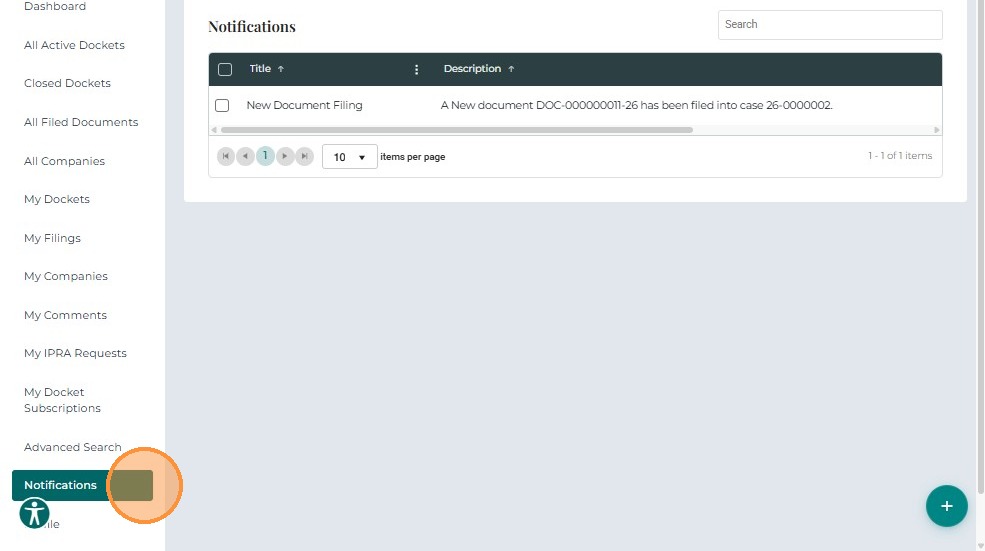
Each notification record includes:
- Title – A brief description of the event
- Description – Detailed information about the event
- Received On – Date and time when the notification was generated
- Actions – Indicates whether the notification has been viewed or acknowledged
Profile
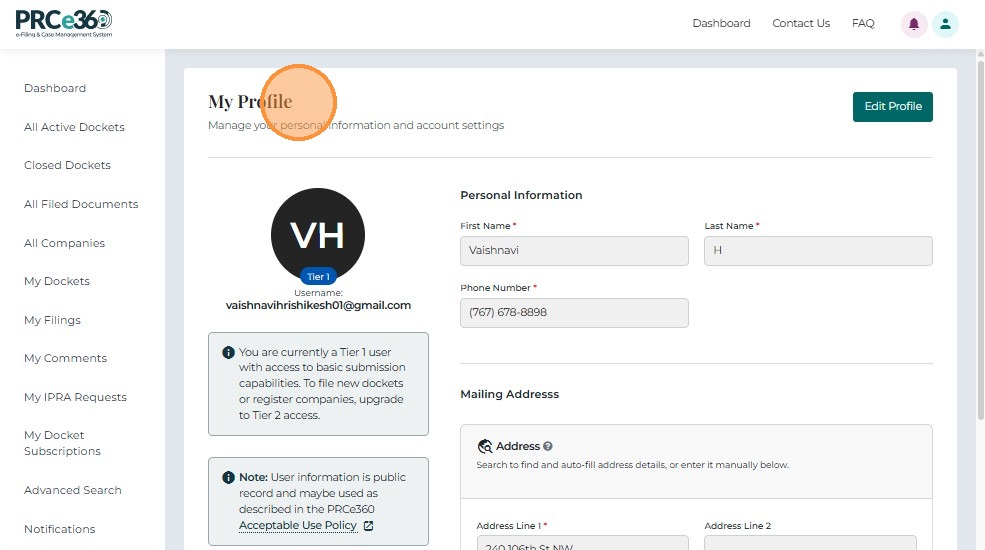
The Profile tab allows Tier 1 & Tier 2 users to view their Profile Information and Edit the existing Address. Tier 2 Users have a Request Tier 2 Account button as well
Tier 1 User:
Tier 2 User:
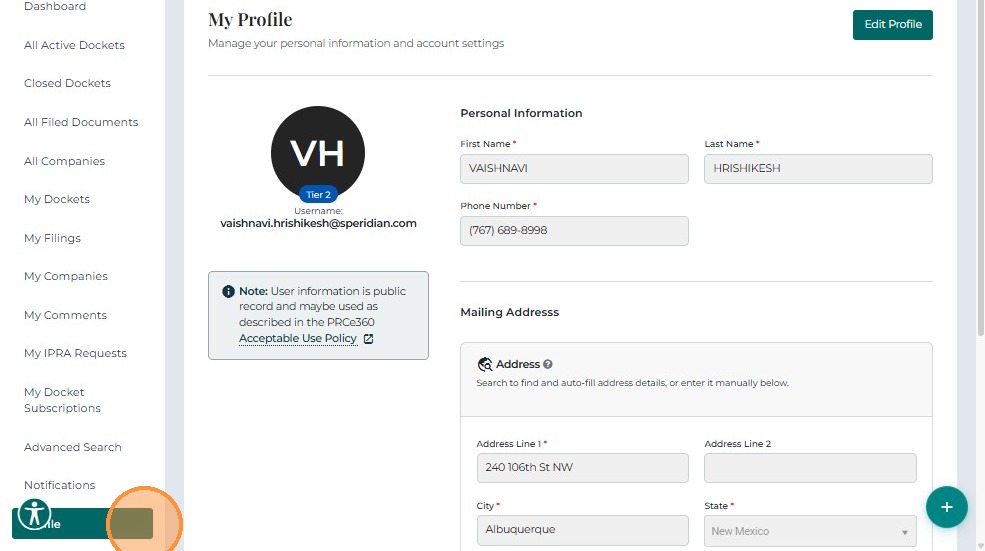
For the full process of editing and updating your profile, refer to the Update User Profile guide.
For detailed instructions on requesting Tier 2 access, refer to the Request to Become Tier 2 User guide.
Related Guides
- Dashboard Overview - Learn about the dashboard
- My Items - Manage your filings, companies, and subscriptions